Monitoring your AI agent can set up
Connect Claude Code, GitHub Copilot, Cursor, OpenAI Codex or Google Antigravity to Pingstack with a browser sign-in. Your agent adds checks when it adds jobs, and answers "what broke last week?" from real incident data. MCP and the API are on every plan, Free included.
Connect your agent
The server is at https://app.pingstack.io/mcp and signs you in through your browser.
claude mcp add --transport http pingstack https://app.pingstack.io/mcpSteps for VS Code, Gemini CLI and API keys are in the client setup docs.
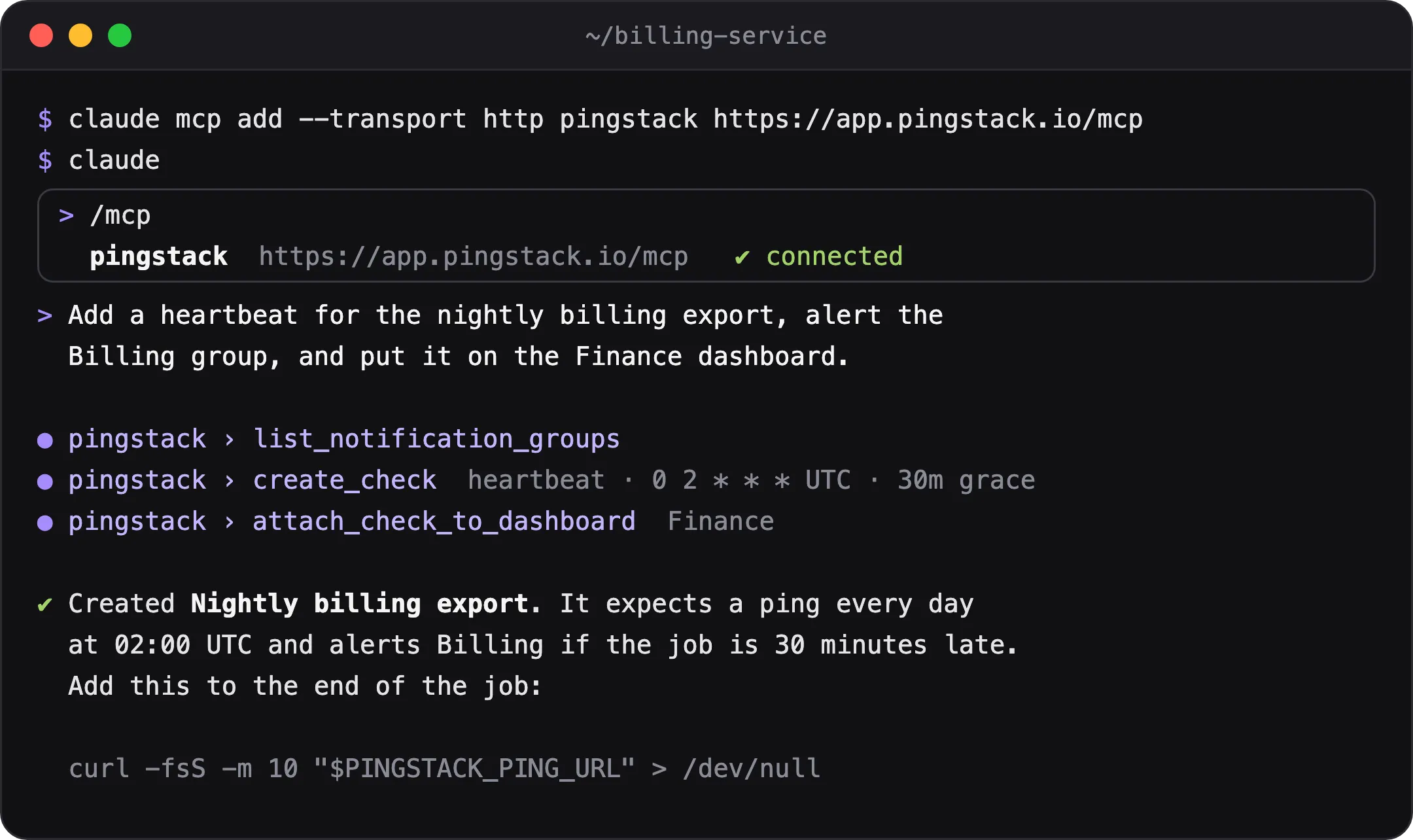
What your agent can do
- Create and update heartbeat, website, DNS, TCP and renewal checks
- Attach checks to dashboards and reorder them
- List incidents and read uptime, run history and latency percentiles for up to a year, as far back as your plan keeps, in your own time zone
- See when each check last ran and when a certificate or domain expires
- Read your plan’s limits and usage
- Read ping URLs, but only with the operational-credential permission
Guardrails
Your agent gets your role’s permissions and your plan’s limits. It can’t publish a dashboard, delete checks or buy anything. When it hits a plan limit, it hands back an upgrade link for a person to open.
Try asking
- “Add a daily heartbeat for the backup job with a 15 minute grace period and attach it to the Infrastructure dashboard.”
- “Which checks had incidents in the last 7 days, and how long were they down?”
- “Create website checks for every domain in this README.”
REST API
Everything above also works over a REST API with account-bound keys, so your scripts and CI can use it too. See the API docs.
Common questions
Can an agent spend money on my account?
No. It can't buy anything or change your plan. When it hits a limit, it hands back an upgrade link for a person to open.
Can an agent delete my checks?
No. Only people in the app can delete checks or publish dashboards.
Which MCP clients work?
We document Claude Code, GitHub Copilot (CLI and VS Code), Cursor, OpenAI Codex, Google Antigravity and Gemini CLI. Other clients that support remote MCP servers with OAuth should work too.
